Tag people once
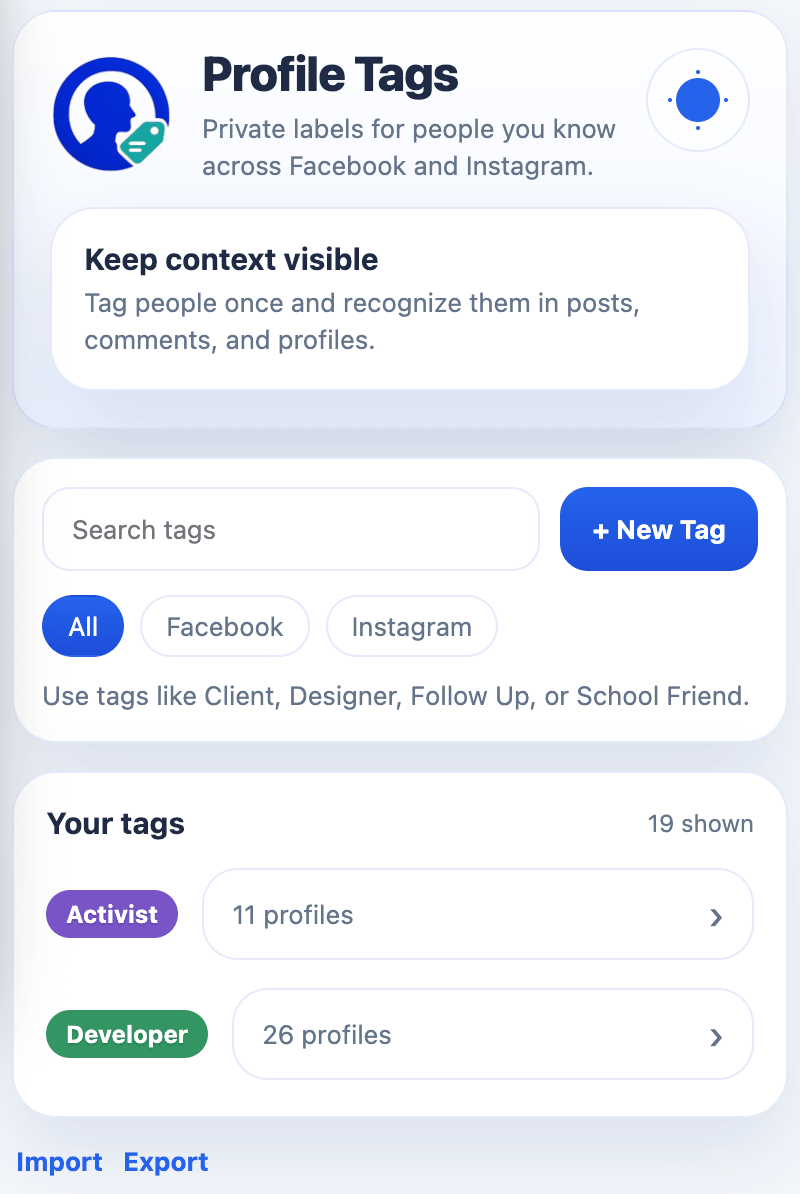
Create labels like Client, Follow Up, Designer, School Friend, or Mentor.
Private profile labels
Add colored tags to profiles you know, then recognize them later in posts, comments, and profile pages.
Features
Profile Tags keeps lightweight labels visible where names normally blur together.
Create labels like Client, Follow Up, Designer, School Friend, or Mentor.
Badges appear beside supported profile names in feeds, comments, and headers.
Your tags stay in Chrome storage. The extension does not add its own network calls.
Export your tag data to JSON and import it again when you need to restore it.
Workflow
Visit a Facebook or Instagram profile and look for the Tags button near the profile header.
Choose an existing tag or create a new one with a clear color and short name.
When that profile appears again, Profile Tags shows your private badge beside the name.
Supported platforms
The extension reads the profile identifiers already present on the page and connects your labels to those keys.
Profiles, feed names, comments, profile headers, and supported group contexts.
Profile usernames, profile headers, and supported username references.
Privacy first
Profile Tags stores tag definitions, profile assignments, and small identity metadata in Chrome sync storage. It does not store posts, photos, messages, or private platform content.

Add the extension to Chrome, then reload any open Facebook or Instagram tabs.
No. Tags are injected only in your browser and saved in your Chrome storage.
No. The current extension stores data locally through Chrome storage and does not make its own network calls.
Both sites change their page structure often. Profile Tags watches page changes and reattaches labels where supported.
Yes. The extension popup includes JSON export and import controls for backups or migration.
Profile Tags is a private context layer for people you already see on Facebook and Instagram.